
Wunder Mobility changelog
Release 14-2026 - Destination Parking & Station Search
Highlights
Reserve a Destination Parking Spot: In on-demand setups with virtual stations, users can now reserve a parking spot at their destination when reserving a vehicle or during an active rental. The reservation shares the same lifecycle as the vehicle booking. Same timer, expiry, extension, and cancellation rules making station capacity more predictable and cutting manual interventions at peak times. Operators can enable this from the new On-Demand settings page and see reservation details directly in the rental side panel.
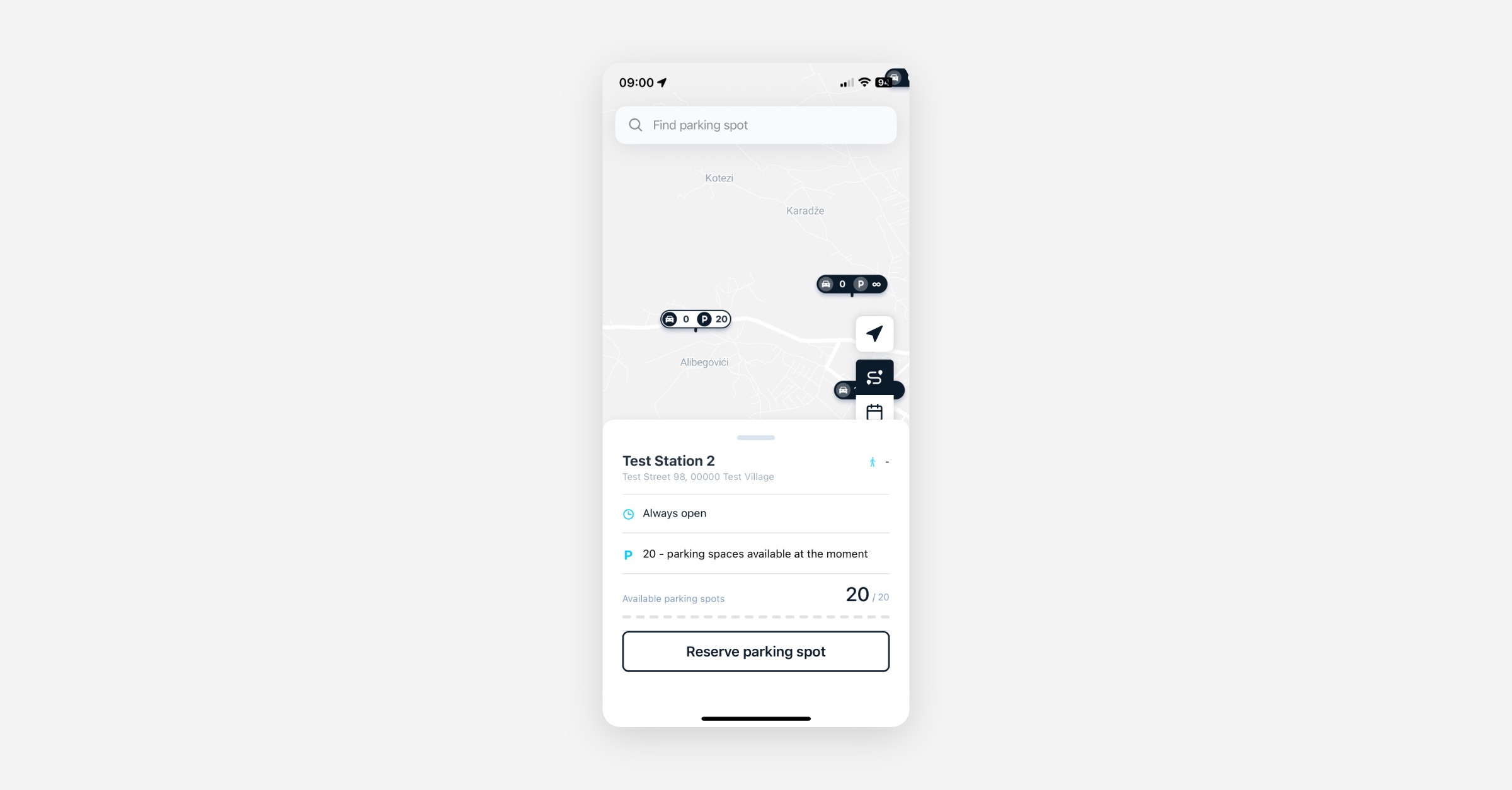
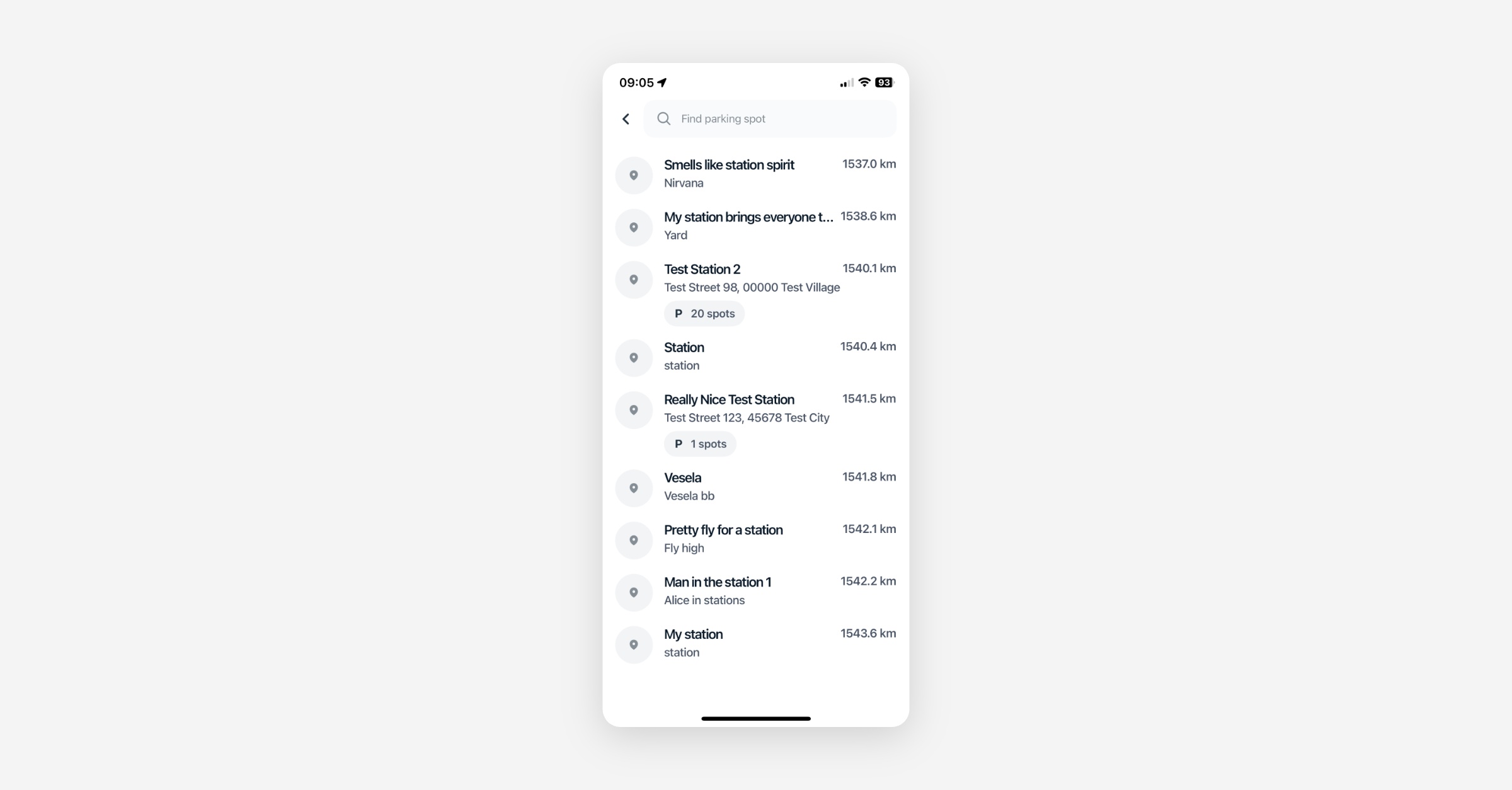
Context-Aware Station Search: End users in on-demand flows can now search station lists by name, address, or postcode in the mobile app. Results update as you type and prioritize nearby stations, reducing end-of-trip friction and wrong-station selections in dense virtual-station networks. Operators can toggle the feature on or off from the Dashboard.
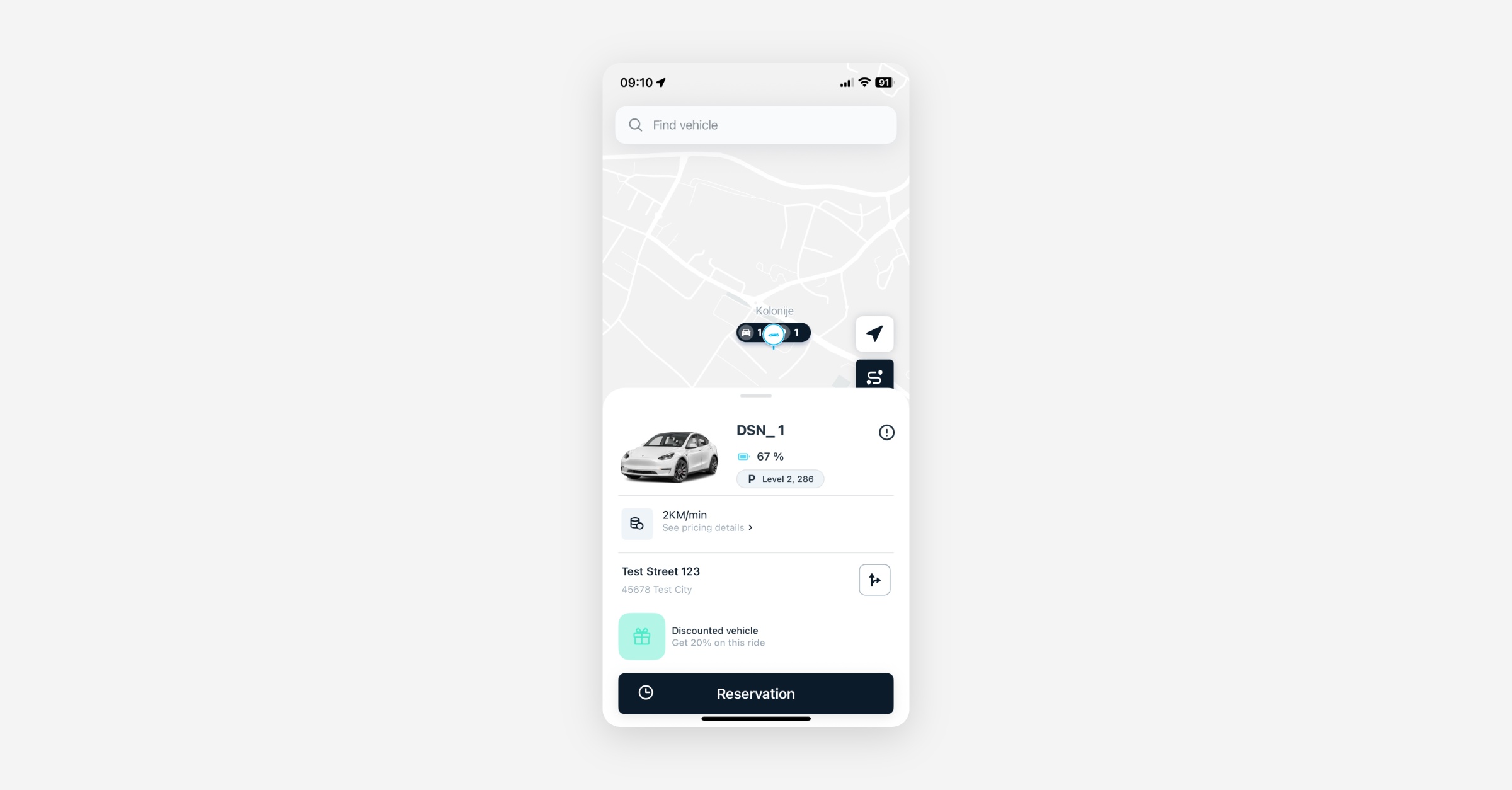
Parking Spot Reporting at End of Rental: When ending an on-demand rental at a virtual station, users are now prompted to report where they parked (e.g., "Floor 4, Spot 50"). The next user who reserves the vehicle sees the reported spot and station address on their pickup screen, making it significantly easier to find cars in garages and multi-level structures. Operators can enable this from the On-Demand settings page.
Mobile App
Requires the latest app version. Contact your Customer Success Manager for details.
Stations
Destination Parking Reservations: In on-demand setups with virtual stations, users can reserve a destination parking spot when booking a vehicle or during an active ride. The parking reservation shares the vehicle reservation's lifecycle, including timer, expiry, extension, and cancellation rules, so users always have a guaranteed drop-off point. This does not apply to station-based pre-booking flows.
Station Search: Users can now search for virtual stations by name, street address, or postcode directly in the app. Results are context-aware, prioritizing nearby locations and updating as you type, so finding the right return point is fast and reliable.
Parking Spot Reporting: When ending an on-demand rental at a virtual station, users can now report exactly where they parked (e.g., level and spot number). The reported spot and station address are displayed to the next user reserving the vehicle, significantly improving pickup clarity in garages and multi-level structures.
Booking
Smarter Route Guidance: The app now adjusts when and how it shows the route to a station based on the booking phase - before, during, and near the end of a rental - so users always see the most relevant navigation at each stage.
General
Crash Guard Improvements: Fixed multiple null/undefined guard crashes across the app, improving overall stability.
Station Address on Vehicle Cards: For vehicles at virtual stations, the vehicle card now displays the station's address instead of a reverse-geocoded GPS position of the vehicle, preventing misleading directions caused by GPS drift.
Web App
General
Corrected "Buffer Time" Setting Description: The description of the "Buffer time" reservation setting in branch configuration was misleading - it implied a cooldown between two reservations, but it actually defines the rolling window during which a user's free reservation usage is tracked before resetting. The description has been corrected so operators can configure reservation limits with accurate expectations.
New Dashboard
On-Demand
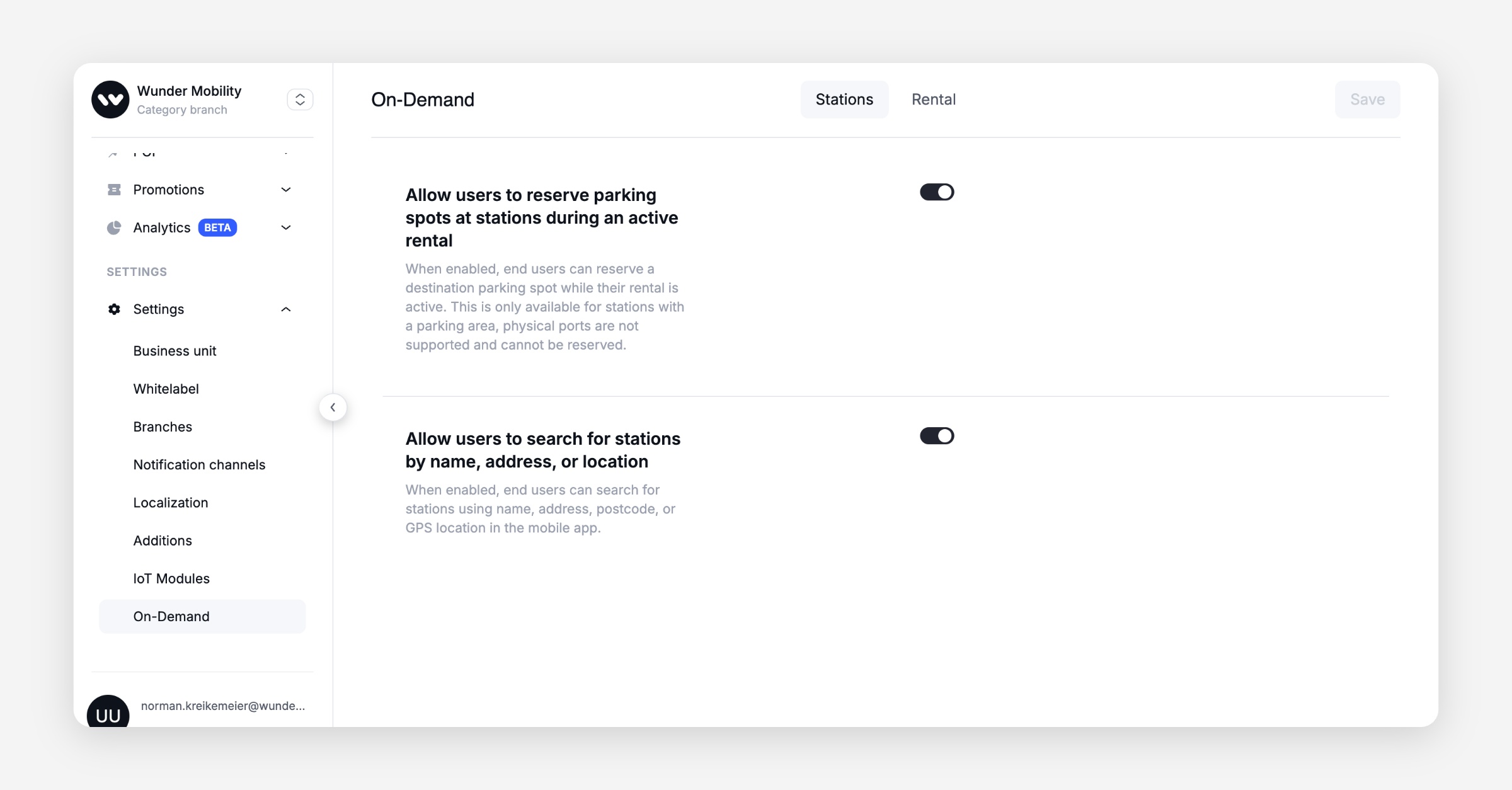
On-Demand Settings Page: A new settings page for On-Demand features lets operators toggle parking spot reservations and station search per market — no backend intervention required.
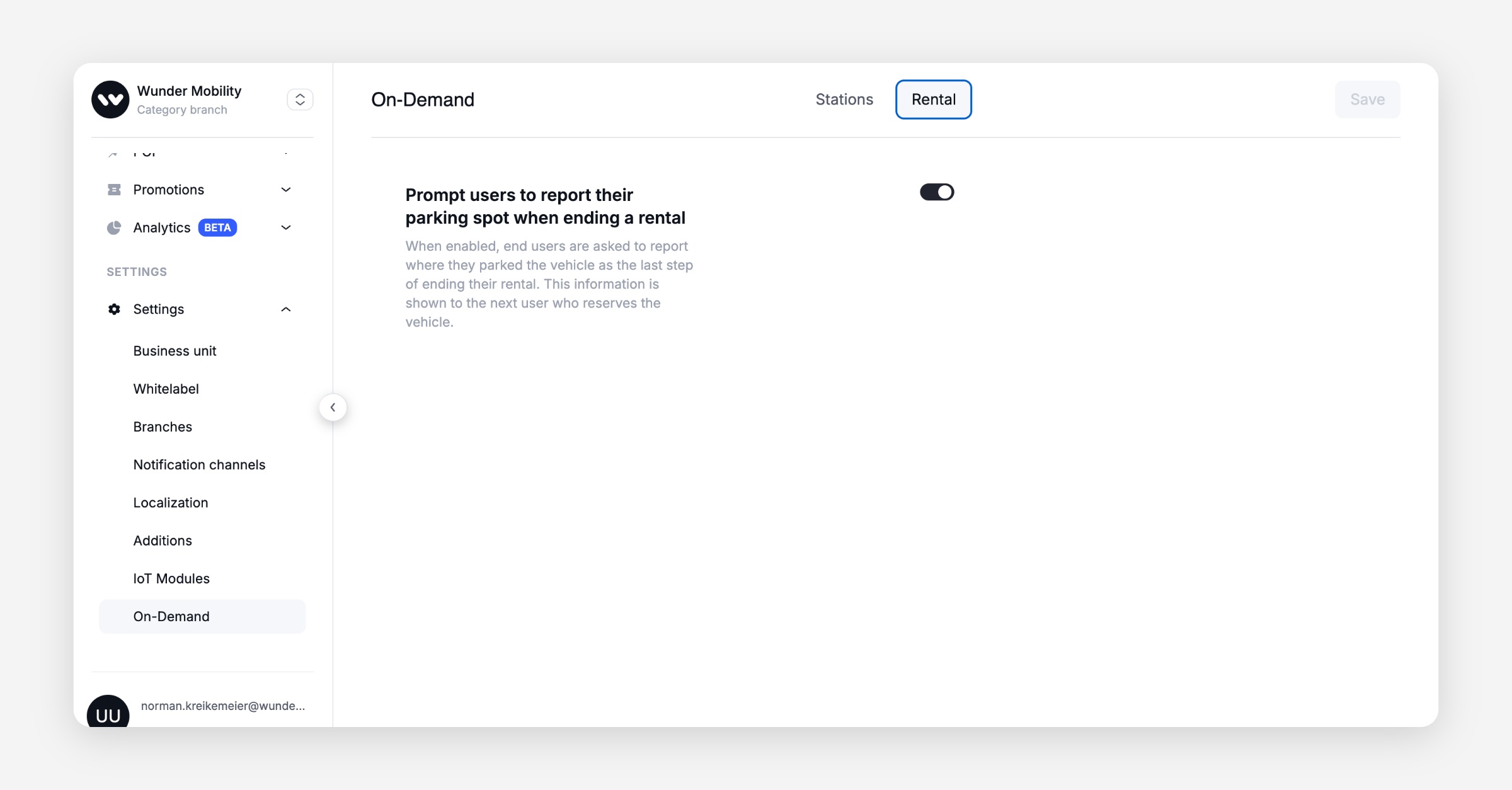
Parking Spot Report Toggle: Operators can enable or disable the parking spot report feature from the new "Rental" tab on the On-Demand settings page.
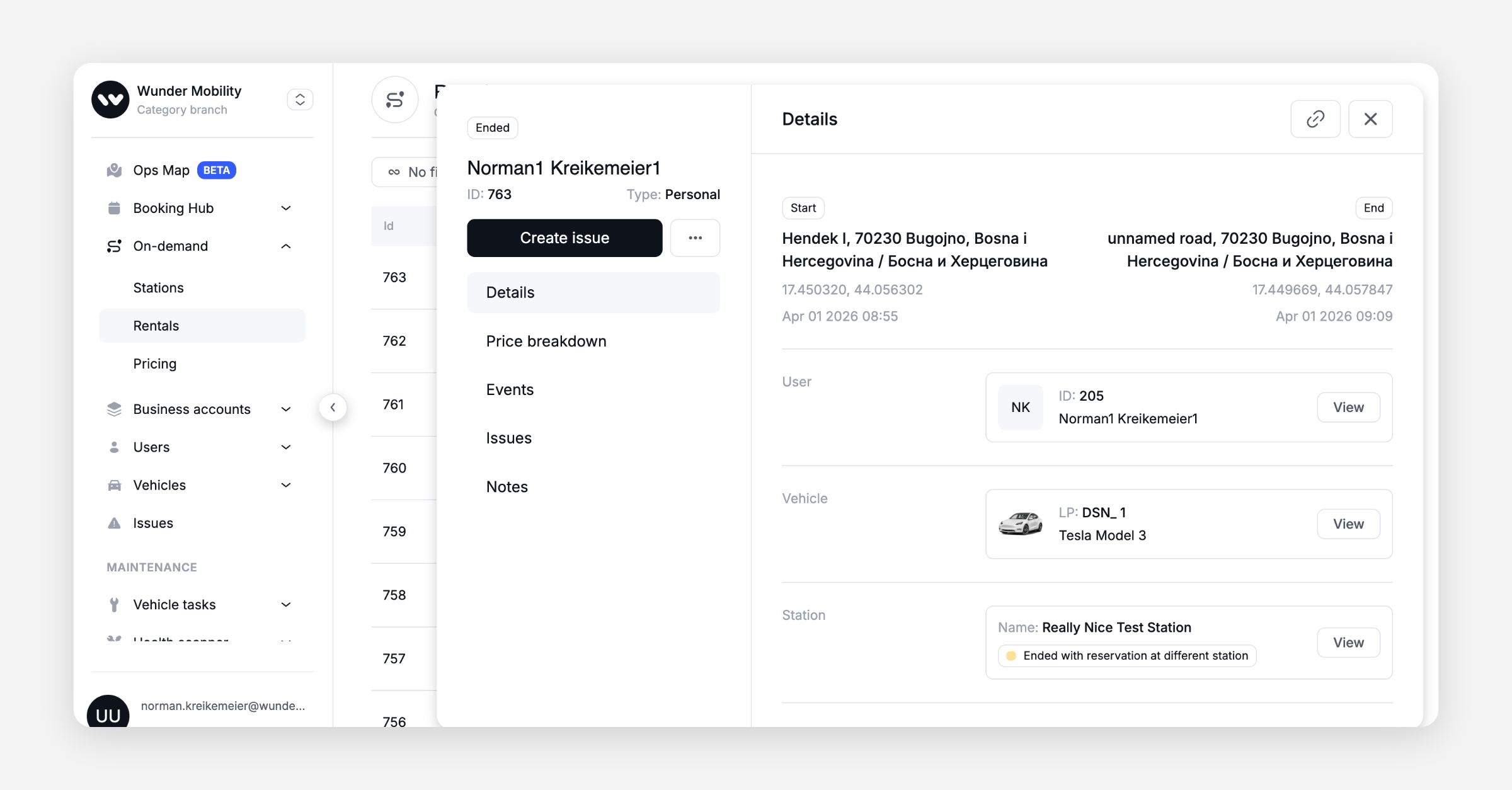
Parking Reservation Details in Rental Side Panel: The rental side panel now shows reservation and return station details — including whether the user ended at the reserved station or a different one — giving support agents faster context during triage.
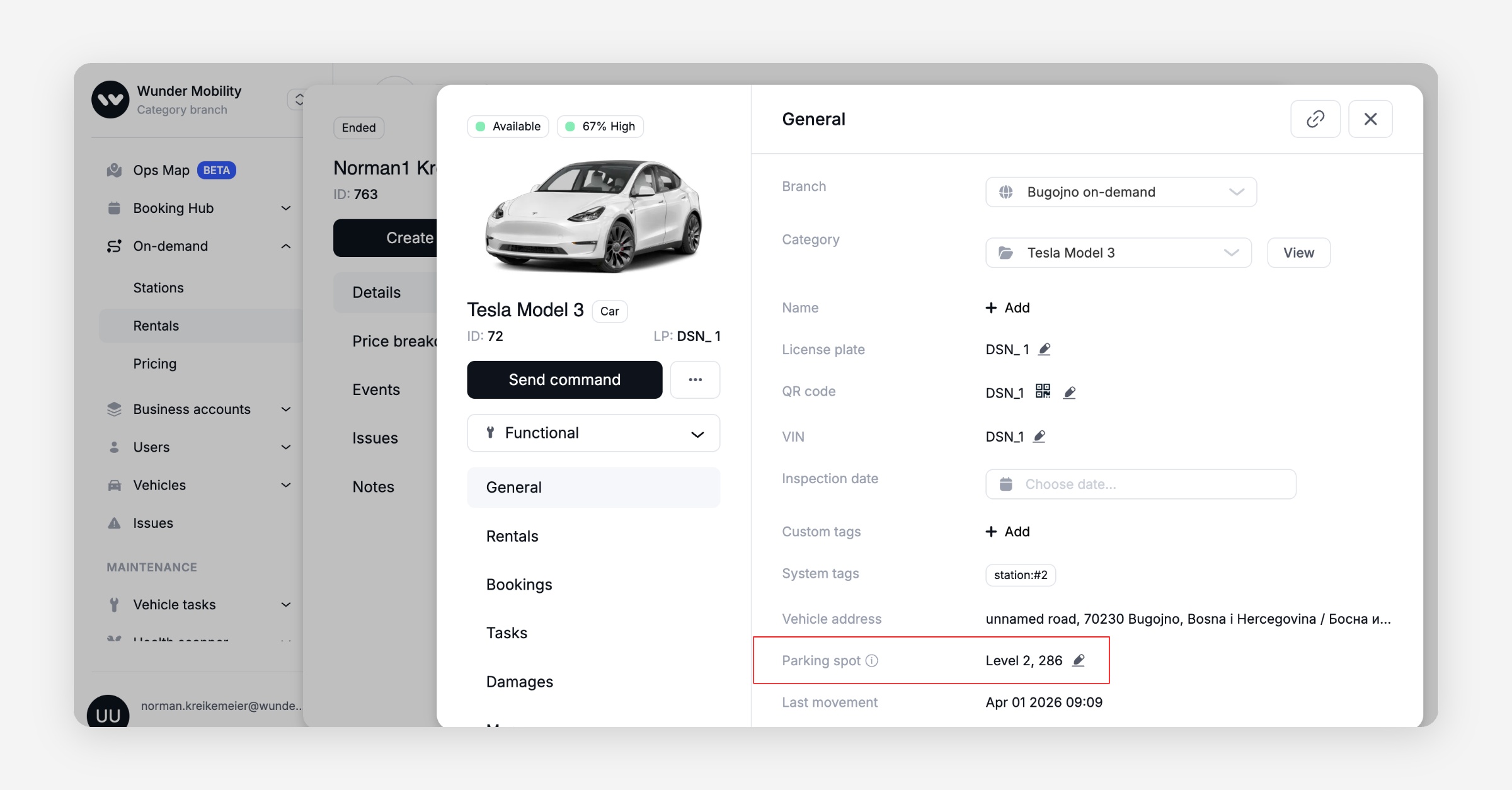
Parking Spot Report on Vehicles: Operators can now view and manage parking spot reports directly on vehicle records in the dashboard, supporting the new end-of-rental parking spot feature.
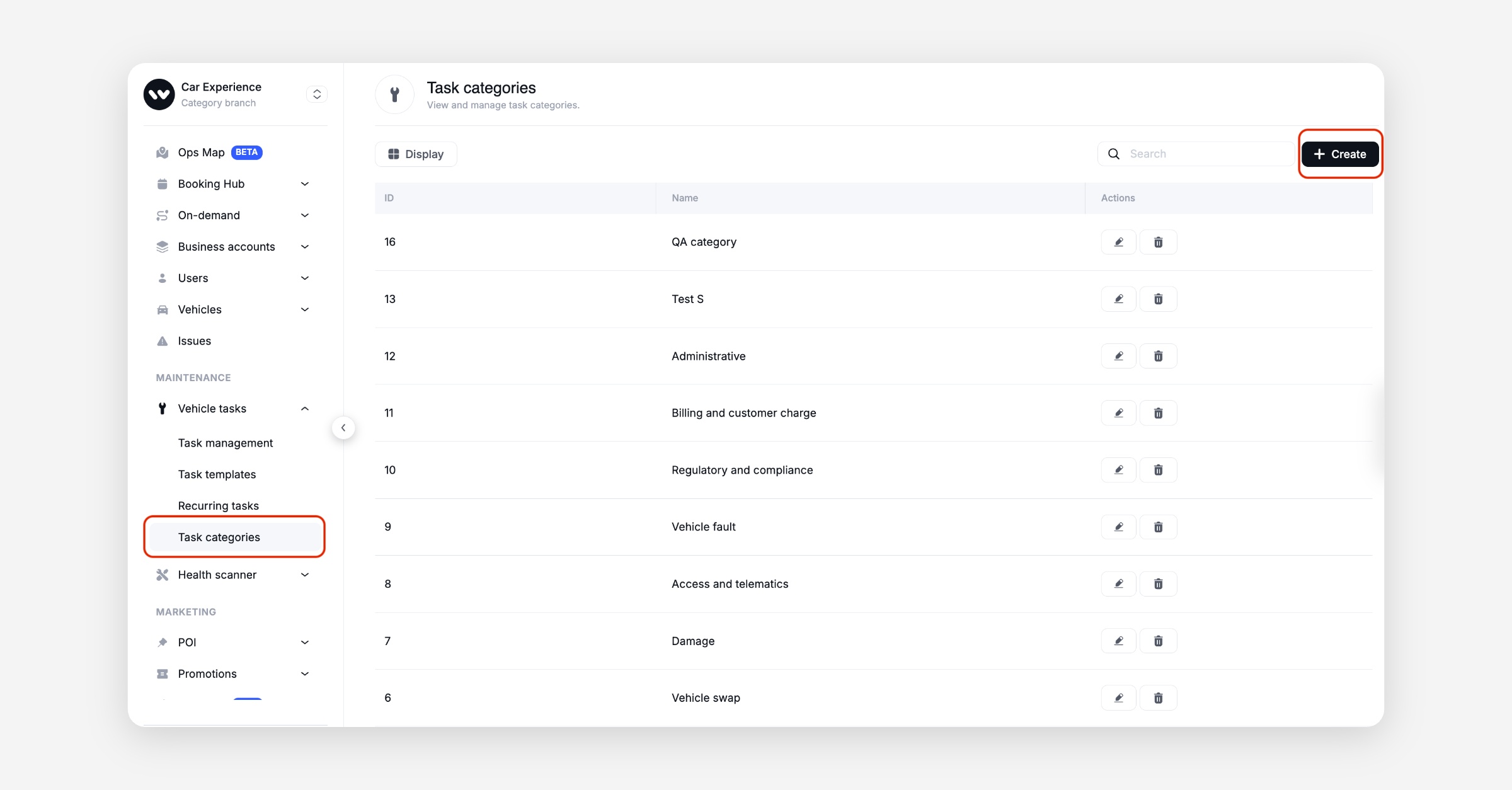
Custom Task Categories: Operators can now define and manage custom task categories, tailoring fleet operation workflows to their specific needs. Includes new permissions so access can be scoped per role.
Booking
Booking Ratings & Descriptions: The bookings table now includes user ratings and descriptions, making it easier to identify problematic trips and prioritize follow-up.
Pick-Up Station Editing: Operators can now change the pick-up station of an existing booking directly from the Dashboard, resolving real-world routing changes without cancelling and rebooking.
General
Rating Sort & Filter: Operators can sort and filter the dashboard by trip rating, making it easy to surface low-rated trips that need attention.
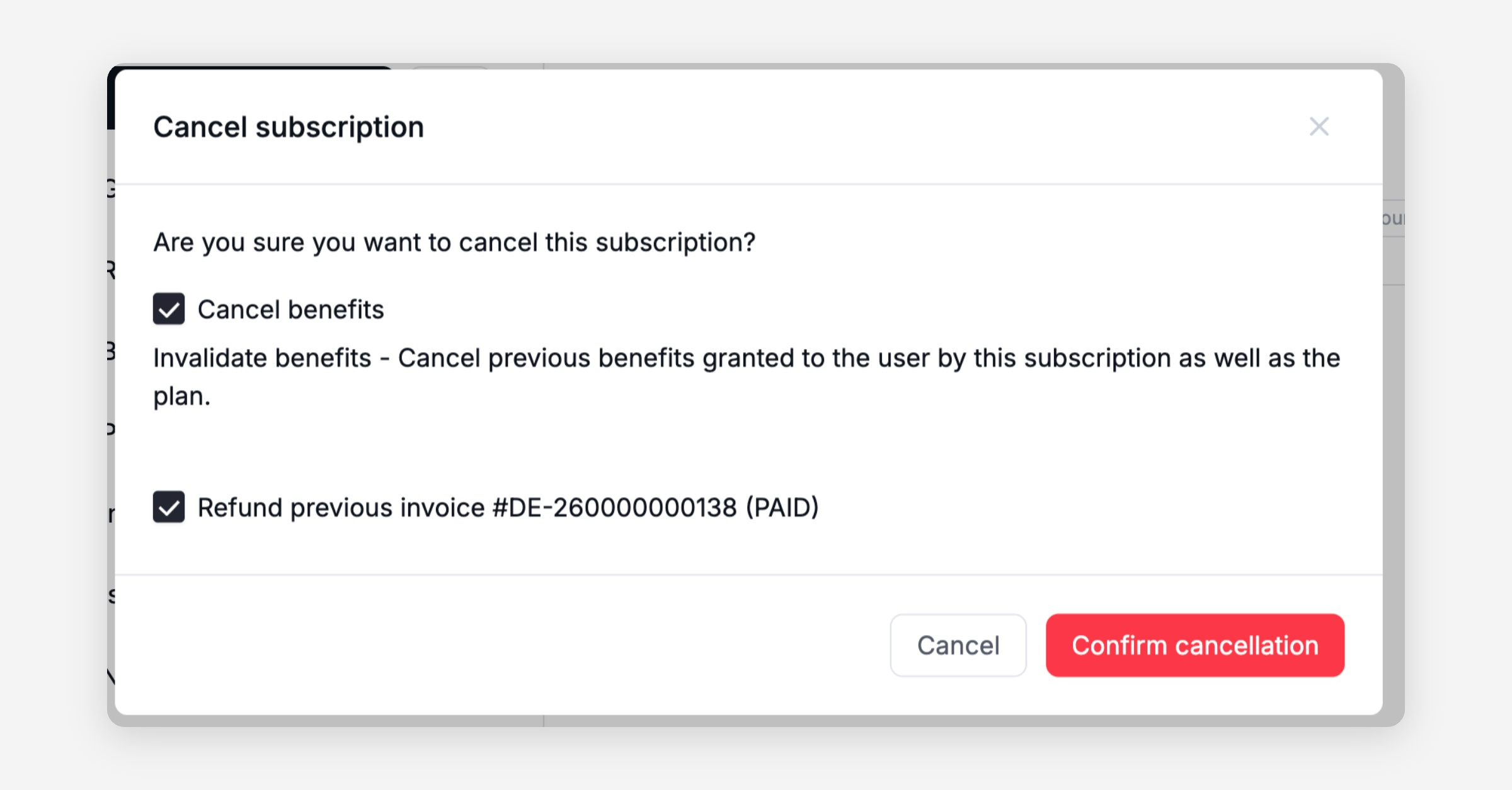
Subscription Cancellation with Refund: When cancelling a subscription, operators now see a "Refund Previous Invoice" checkbox. If checked, the refund modal opens immediately after cancellation — handling accidental purchases in a single flow.
Customer Care Voucher Pagination: The voucher modal in customer care now paginates large lists, preventing UI freezes for operators with many active voucher templates.
IoT Log Cleanup: Removed the revision number from IoT module logs, reducing clutter and making diagnostics easier to scan.
Platform
General
Auto-Park Rental Phase Tracking: The admin auto-park function now correctly creates a rental phase and identifies the system as the actor, so the Dashboard accurately reflects that the system (not the user) parked the vehicle.
Task File Linking Fix: Fixed a crash (NullPointerException) when linking files to tasks that contained null elements, preventing intermittent failures in the task management workflow.
Operator Worklist Accuracy: The
hasOpenTasksForCurrentUserflag now correctly reflects assigned tasks, ensuring operators see accurate worklists and don't miss open items.Vehicle Command Verification: Added "central lock read state" and "immobilizer" checks after lock/unlock commands for JDC and INVERS-connected vehicles, catching failed commands faster and reducing silent failures.
MDS Vehicle Cache Fix: Fixed a caching issue where vehicle data changes were not persisted to the distributed cache, causing unnecessary database load spikes after cache eviction.