
Wunder Mobility changelog
Release 31-2026 - GBFS Station Feeds & Verification Workflows
Highlights
GBFS station feeds for station-based fleets
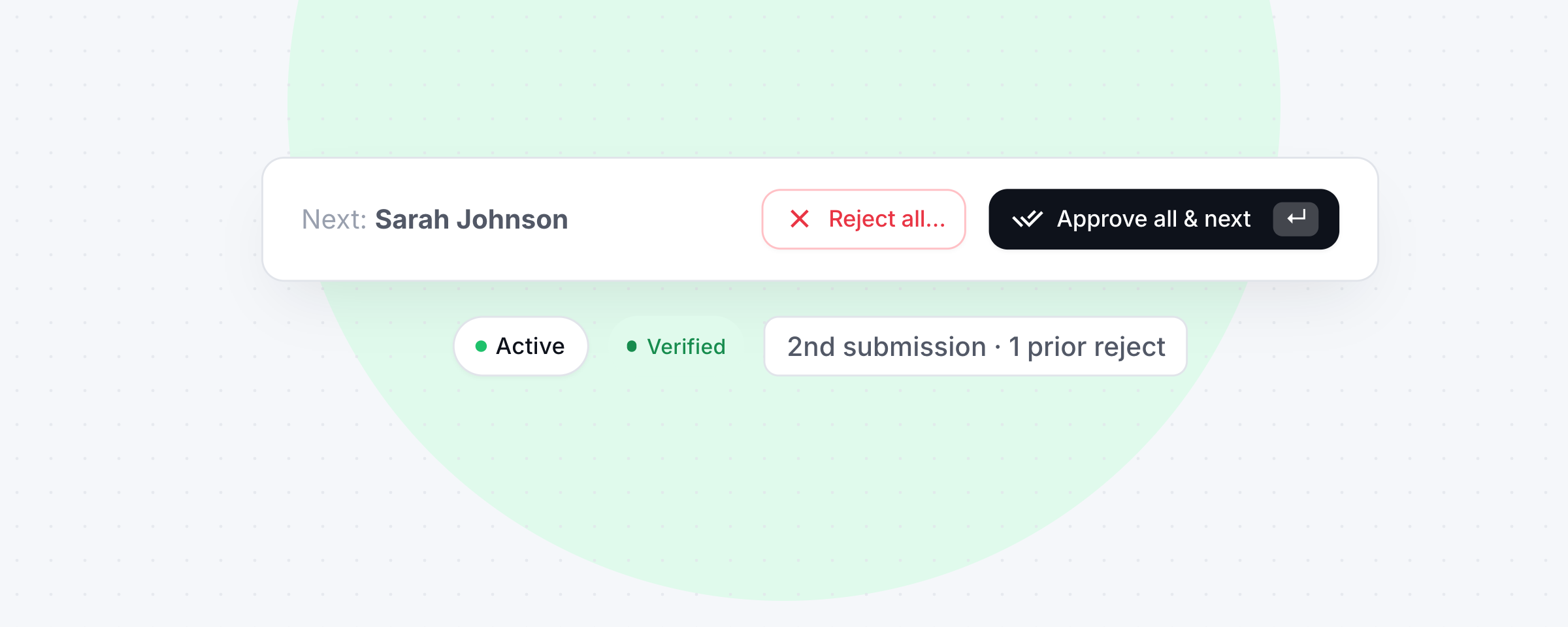
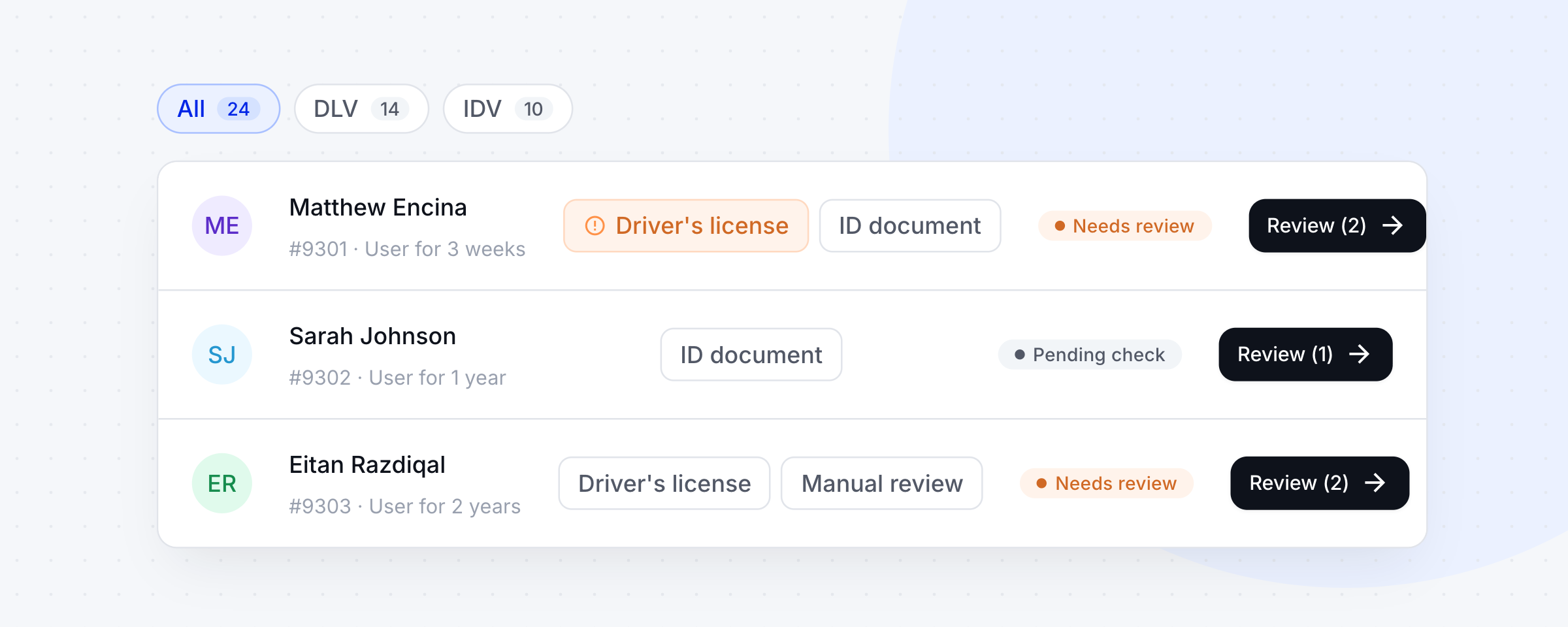
Station-based operators can now expose their stations to third-party journey planners through two new GBFS feeds:station_information.json(the static station list, with name, location, address, capacity where configured, and a deeplink that opens the operator's app at the selected station) andstation_status.json(real-time vehicle availability per station). The existingfree_bike_statusfeed now excludes vehicles standing at a station, so each vehicle is counted once: stationed vehicles show up in the station feeds and free-floating vehicles infree_bike_status, as the GBFS spec requires. Together these make stations discoverable in platforms such as MobiData/BWegt and MENTZ/MVV, with a direct link into the operator's app to book. The feeds are enabled per operator, so contact your CSM to switch them on.Verification Queue: Operators can now review driver's licence and ID verifications directly in a side panel within the Dashboard, without leaving the queue or opening a separate provider portal. Extracted document data is shown alongside the customer's file with mismatches highlighted, licence images (front, back, selfie) are displayed inline, and operators can add a tag or assign a customer-care voucher to the customer during the same review session.
Vehicle Promotions with Free Minutes: Operators can now configure vehicle-level promotions that grant riders free minutes on a rental, extending the promotions toolkit beyond discounts and rebates. Note that the end-user app doesn’t currently highlight these minute based promotions in the map view.
Mobile App
Requires the latest app version. Contact your Customer Success Manager for details.
Booking
Promo code from deeplink now redeems on first open: A promo code passed via a Promotions deeplink was only being redeemed after the app was backgrounded and resumed, causing roughly half of riders to miss the promotion. The code is now applied immediately on first load.
Improved error handling for radars: We improved how the app responds when an active radar no longer exists in the backend.
Vouchers sorted with active and soonest-expiring first: The voucher list in the app now shows active vouchers at the top, with those expiring soonest appearing first. The voucher counter also now reflects only active and available vouchers, giving riders a more accurate overview.
Web App
General
Contact support link on sign-up confirmation page now routes correctly: On one operator's web app, the "Contact support" link shown on the email confirmation screen during sign-up was redirecting riders to an unrelated support page. The link now correctly points to the configured support destination for that operator.
Dashboard
Verification
Document Verification Panel for driver's licence and ID review: Operators can now open a single side panel from the verification queue to review pending driver's licence (DLV) and ID (IDV) verifications without leaving the page. The panel shows extracted document data alongside the customer's file, flags field-level mismatches, and displays document images inline. From the same panel, operators can add a tag or assign a customer-care voucher to the customer, for example to grant a concession during review.
Booking
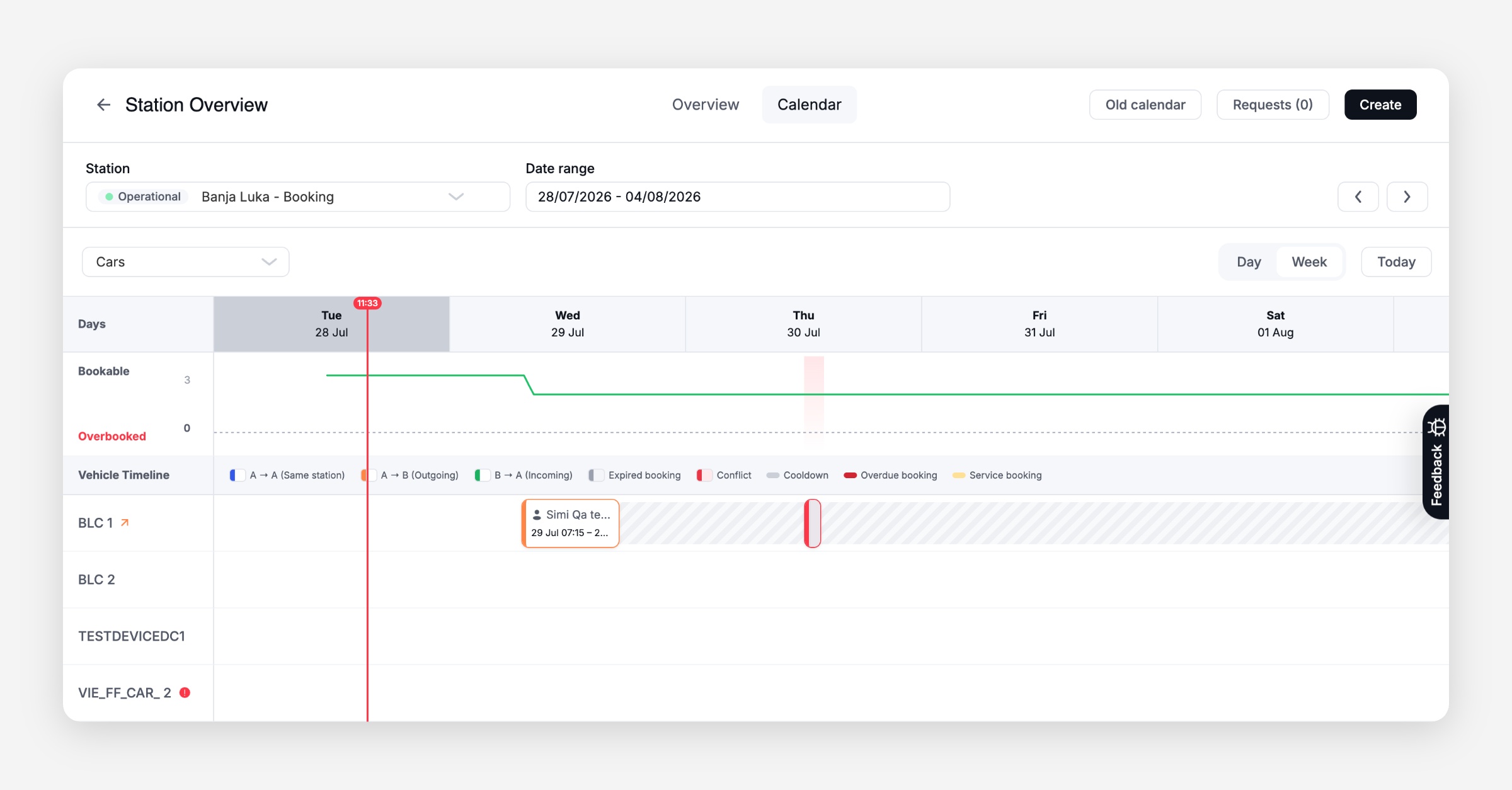
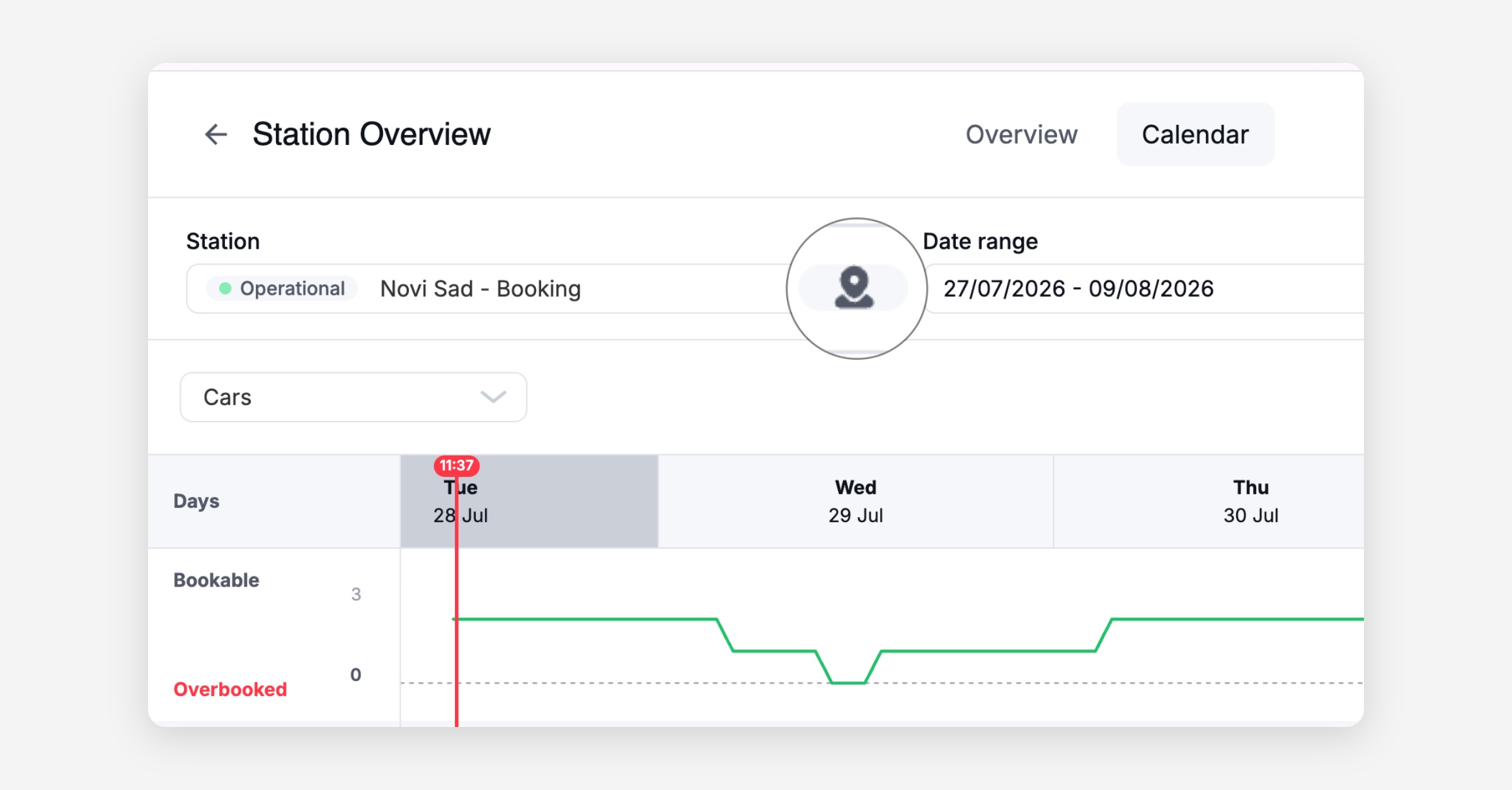
Station calendar now shows a bookable-capacity chart: The station calendar's utilisation bar has been replaced with a bookable-capacity line chart. The line reflects available capacity over time, dips below zero (shown in red) when the station is overbooked, and highlights conflicts so operators can spot and resolve scheduling issues at a glance.
Location guidelines button now visible in Firefox: The "Location guidelines" button in the Station Overview sidebar was not rendered in Firefox, affecting call-centre staff who use Firefox as their primary browser. The button now displays correctly across all supported browsers.
General
Vehicle action feedback in Dashboard now confirms success or failure: When an operator triggers a vehicle action such as Set Max Speed, there was no visual confirmation that the command had been sent or completed. The Dashboard now shows a clear success or error state after submitting a vehicle action.
Platform
General
Vehicle status stays accurate during an active rental
Assigning a vehicle to a booking no longer overwrites the status of a vehicle that is already out on an active rental. Previously goDash could show the wrong status while the vehicle was actually in use.Booking creation no longer fails when a rental ends before its scheduled start: Creating a new booking would return a server error if a prior rental on the same vehicle was started and ended before its booking's scheduled start time. This edge case is now handled correctly so operators and riders are not blocked from booking.
Bluetooth lock and unlock actions now recorded for INVERS vehicles
Lock and unlock actions triggered over Bluetooth on INVERS vehicles are now recorded in Vehicle Activity. Until now these actions were almost never captured, so a driver could lock or unlock a vehicle over Bluetooth without it showing up in the platform. Operators now get a complete and accurate record of these actions, which helps when reviewing or troubleshooting what happened with a vehicle.More reliable commands to connected vehicles
Commands sent to INVERS and other connected vehicles could occasionally report an error even when they had actually worked, and in rare cases a command at the end of a rental was not retried, leaving the vehicle stuck. Commands to connected vehicles now complete reliably.NIU vehicles can now be routed tenant-agnostically via webhook body: JDC previously required a separate webhook URL per NIU tenant environment. NIU webhooks are now routed based on the
appIdin the request body, enabling all NIU environments to share a single webhook endpoint. This removes a registration blocker with NIU and supports the migration of additional fleet environments onto JDC.
Migration
Subscription data included in cohort exports for phased user migration: Users with an active subscription now have their subscription included in the migration export, so their plan is correctly recreated in V2 when their account moves.
Per-user silent mode for migrated users still active on V1: Users loaded into V2 during a phased migration but still live on V1 now operate in silent mode: no billing, no communications, and no background-job side-effects are triggered by V2 until the user is explicitly activated. This prevents duplicate charges and unintended communications during the dual-run migration window.
Customer API now returns three additional fields: The
GET /customersendpoint now returnsexternalReference,gender, andstatus.PAID invoices no longer blocked during V1-to-V2 import: 401 PAID invoices were failing to import because V1 exports a null charge count once an invoice reaches PAID status, and the importer rejected the apparent reduction. The importer now handles this correctly so fully settled invoices migrate without error.
API
General
GBFS station feeds for station-based fleets
Two new GBFS feeds let station-based operators expose their stations to third-party journey planners:station_information.json(static station list with name, location, address, capacity, and a deeplink into the operator's app) andstation_status.json(real-time availability per station). The existingfree_bike_statusfeed now excludes stationed vehicles, per the GBFS spec. Stations become discoverable in journey planners like MobiData/BWegt and MENTZ/MVV, with a link through to the operator's app to book. Enabled per operator on request.Vehicle Promotions endpoint now accepts a vehicle ID filter: The
/front/promotionsendpoint now accepts avehicleIdparameter and returns all promotions (including free-minute promotions) active for that vehicle at the time of the request. Integration partners and frontend clients can use this to display vehicle-specific promotions to riders before they start a rental.